NETWORK & INTERNET

Is your office wired to work?

Wireless networks

Internet network installation and setup – From wherever it’s at now to a fully up and running network suited to the work your company does.

Network troubleshooting

Network troubleshooting – Get to the root of the problem so weak wiring and constant downages don’t keep wrecking your workweek.

Power your processes with instant performance tracking.

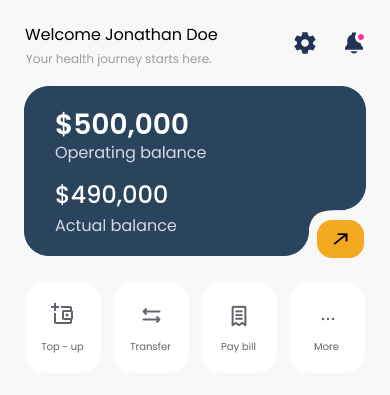
Insightful dashboards, secure balances, and automated actions to keep teams moving faster.

  • Network configuration – Setting up IP addressing schemes, creating VLANs to segment traffic if needed, configuring DHCP servers, and establishing network security protocols like firewalls and encryption.
  • WiFi setup – Installing access points in optimal locations for coverage, configuring SSIDs and passwords, setting up guest networks separate from business networks, and ensuring adequate signal strength throughout the space.
  • Security measures – Implementing firewalls, setting up VPNs for remote access, configuring network security settings, and potentially installing intrusion detection systems.
  • Testing and optimization – Verifying all connections work properly, testing internet speeds, ensuring devices can communicate across the network, and troubleshooting any issues.
  • Documentation and training – Providing network diagrams, login credentials, and basic training on how to manage the system or troubleshoot common problems.

Includes:

  • Physical infrastructure setup – Running and terminating ethernet cables throughout the office, installing network jacks in walls, setting up cable management systems, and potentially installing fiber optic lines if needed.
  • Core networking equipment – Installing and configuring routers, switches, wireless access points, and modems. This includes selecting appropriate equipment for the business’s size and bandwidth needs.
  • Internet connectivity – Coordinating with ISPs to establish service, configuring the connection, setting up any necessary equipment from the provider, and ensuring proper speeds are being delivered.
Wireless networks

Internet network installation and setup – From wherever it’s at now to a fully up and running network suited to the work your company does.
  • Intermittent connection drops – Tracking down why connections randomly disconnect, which could be due to interference, signal strength issues, faulty cables, or equipment overheating.
  • WiFi problems – Addressing weak signals, dead zones, interference from other networks or devices, or access point failures.
  • Security breaches or suspicious activity – Investigating unauthorized access, unusual network traffic, potential malware, or compromised devices.
  • Software and firmware issues – Updating router firmware, fixing driver problems, resolving compatibility issues between devices and network equipment.
  • Cable and wiring problems – Testing physical connections, identifying damaged cables, checking patch panels, and verifying proper terminations.
  • Documentation and reporting – Providing explanations of what went wrong, what was fixed, and recommendations to prevent future issues.
Includes:
  • Diagnosing connectivity issues – Figuring out why devices can’t connect to the network or internet, whether it’s affecting one device, multiple devices, or the entire network.
  • Speed and performance problems – Investigating slow internet speeds, network bottlenecks, high latency, or bandwidth issues. 
  • Hardware failures – Testing and identifying faulty equipment like routers, switches, modems, cables, or network cards that need repair or replacement.
  • Configuration errors – Finding and fixing misconfigurations in network settings, IP address conflicts, DNS issues, incorrect subnet masks, or routing problems.
Network troubleshooting

Network troubleshooting – Get to the root of the problem so weak wiring and constant downages don’t keep wrecking your workweek.

Why Choose Us

Expert Software, Reliable Outcomes

Timeframe

simple network install (what this means): X-X days
complex network install: X-X days
custom network install: depends on the specifics

Price range

network service + setup start at [$XX]
network setup starts at: [$XX]
service calls: [$XX]
repairs/troubleshooting start at [$XX]

“TESTIMONIAL RE PHONE SYSTEMS”

Let’s discuss your phone system needs